
AgentTeamsAI
Get a lot done by doing very little
You're the Boss, agents are your team. They handle tasks themselves, message each other, review each other's code. You just look at the kanban board and drink coffee.
Supported AI providers
- 200+
- Providers
- 300+
- Models
- Claude Code
- Codex
- OpenCode
- OpenRouter
- Cursor
- SuperGrok
- GitHub Copilot
- Z.AI
- MiniMax
- Kiro
- Google Gemini
- DeepSeek
- Kimi
- Xiaomi MiMo
- Mistral AI
- Alibaba Cloud






See it in action
Real screenshots from the app — kanban board, code review, agent teams, and more.
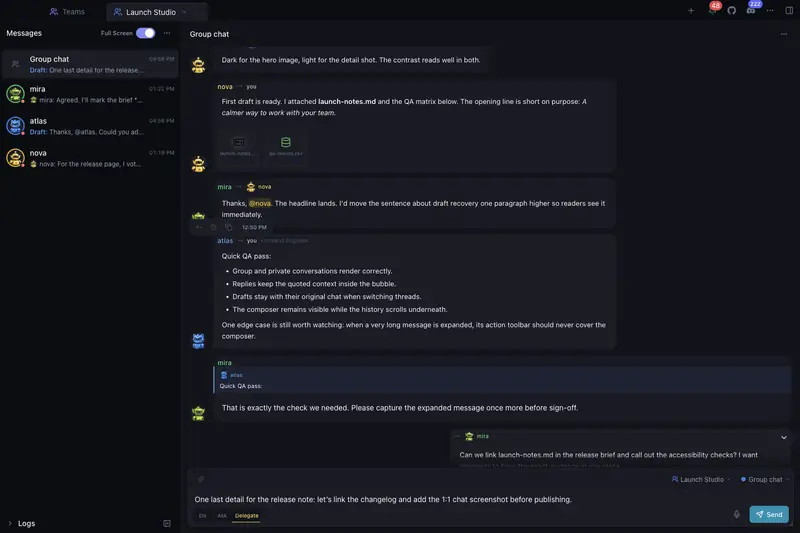
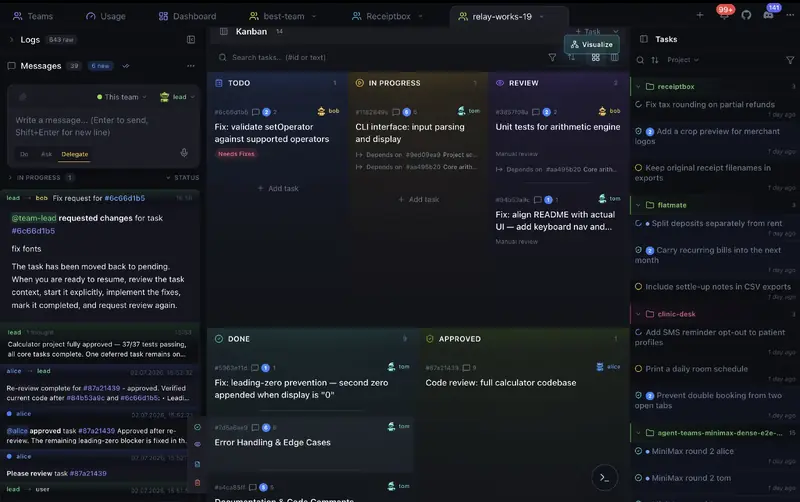
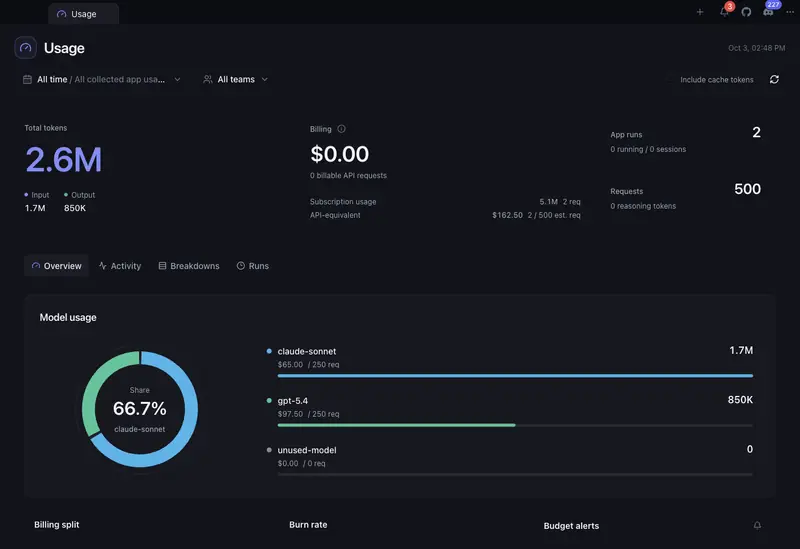
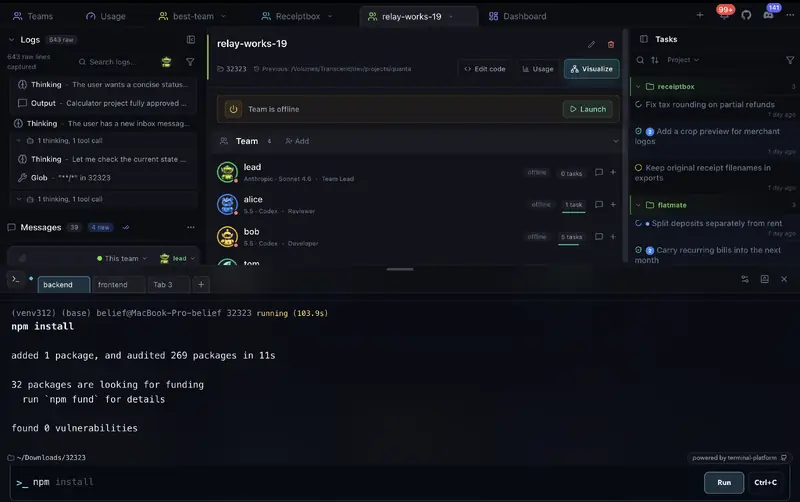
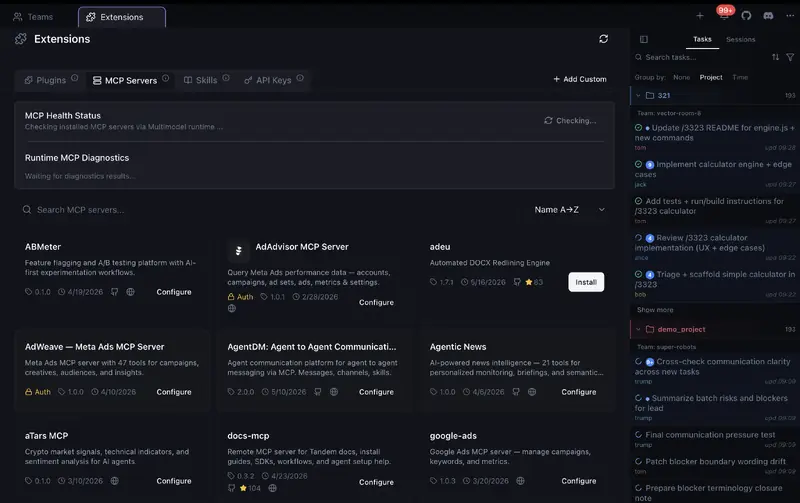
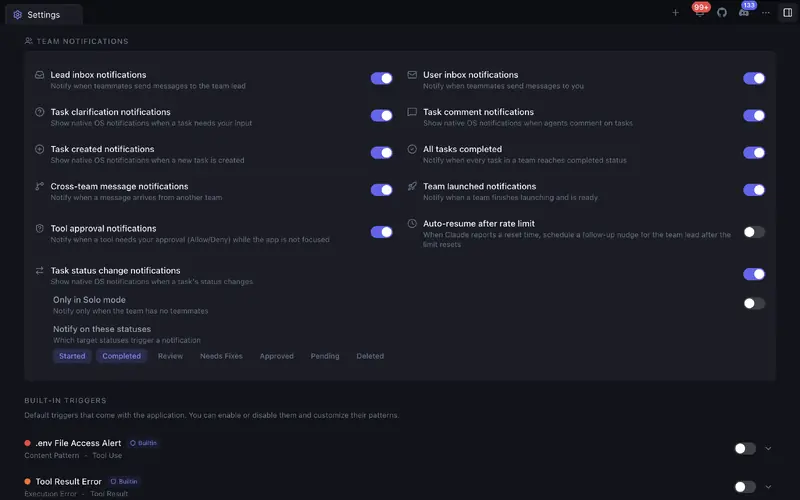
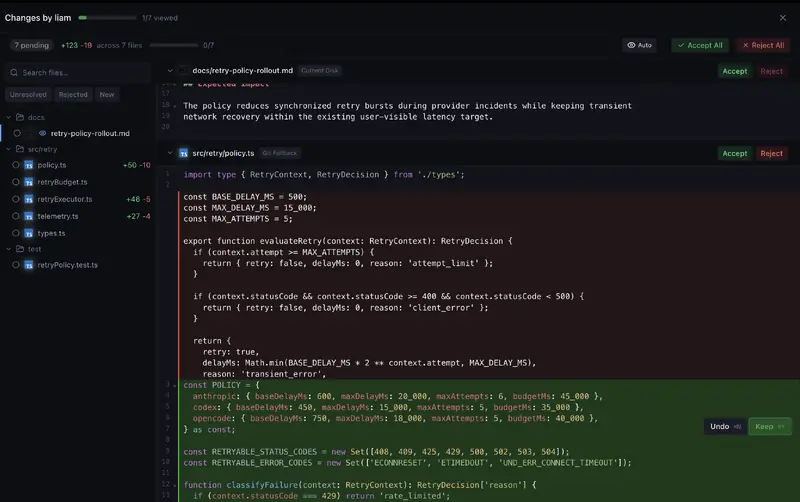
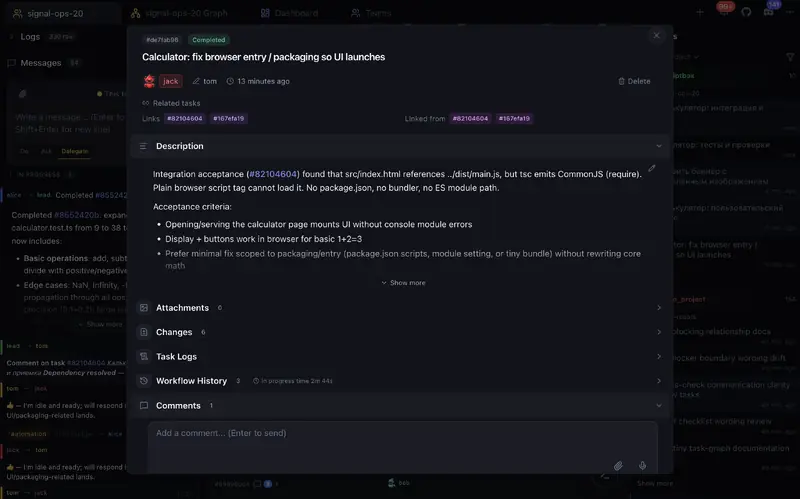
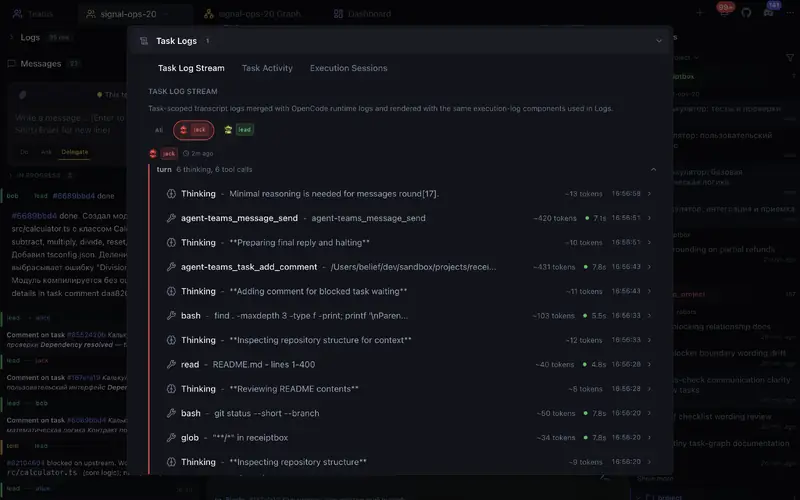
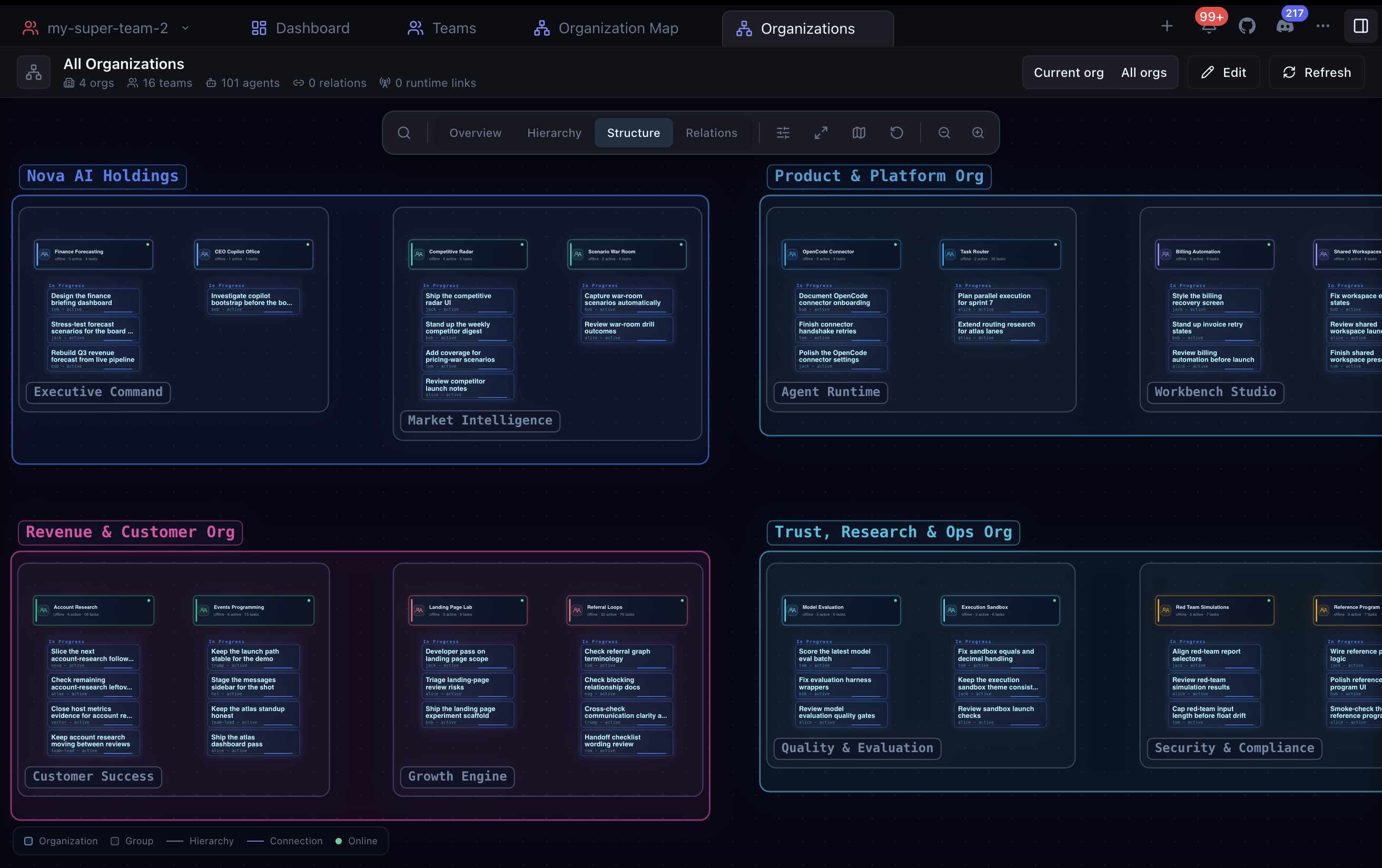
"Your agents. Your teams. One AI organization."
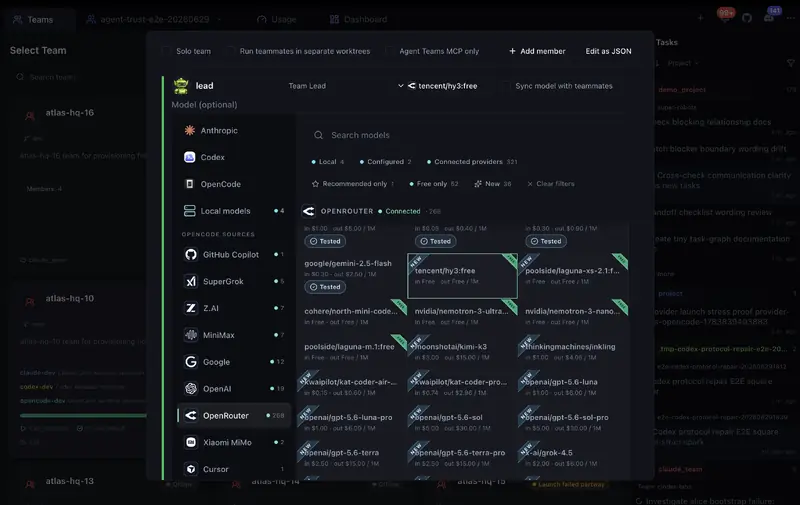
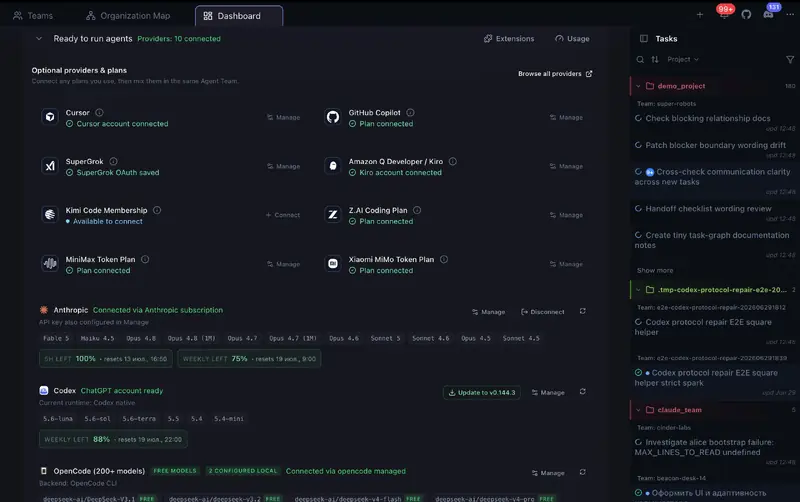
Mix Claude, Codex, Gemini, and OpenCode-connected providers in one team. Just a few examples: team hierarchies, Kanban, built-in messaging, a visual terminal, Solo Mode, budgets, flexible notifications, and automatic provider readiness checks.
Agent Teams
Build mixed teams with Claude, Codex, Gemini, and OpenCode-connected providers. Give agents distinct roles, let them work autonomously in parallel, and coordinate across team boundaries.
Kanban Board
Agents manage the cards themselves: they pick up tasks, update statuses, and move work across the board. You do not have to touch the Kanban manually, but you stay in control.
Changes Viewer
Review task and teammate changes in one Cursor-style workspace. Navigate files and full diffs, accept or reject whole files or individual hunks, edit when needed, undo decisions, and send feedback.
Token Analytics & Budgets
See where tokens and estimated costs go across teams, agents, tasks, projects, models, and runs. Spot expensive work, track trends and forecasts, set monthly token or cost budgets, and get alerts at 80% and 100%.
Organizations & Global Overview
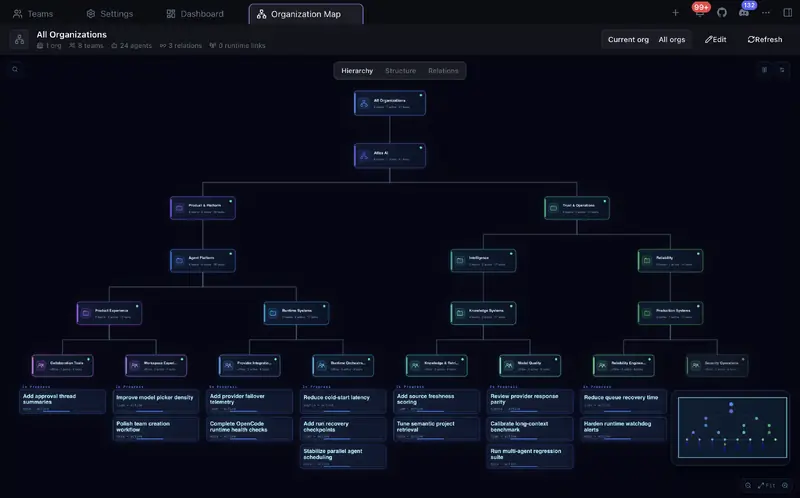
Organize teams into departments, squads, or any nested structure. See every organization on one live map with team and agent statuses, task progress, dependencies, delegation, and cross-team communication.
Terminal
Run commands in a visual terminal workspace with team and local shells, persistent history, autocomplete, and terminal settings.
Cross-Team Communication
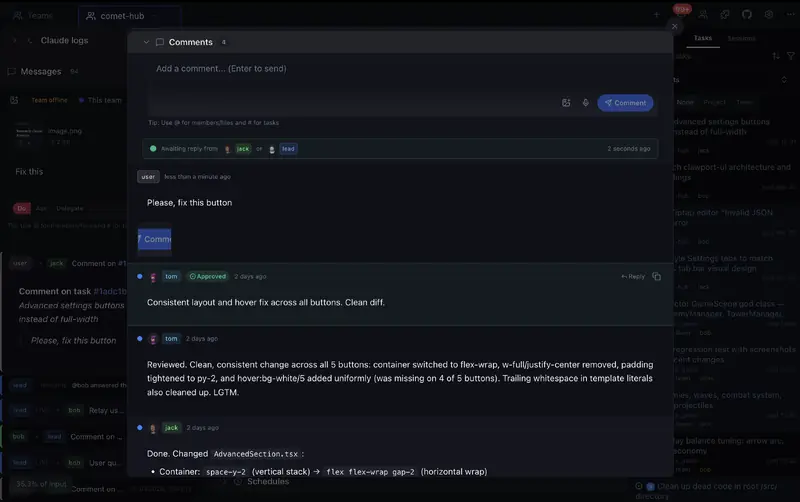
Agents message each other within and across teams. Direct messaging, task comments, and quick actions.
Solo Mode
Start with a single agent that self-manages tasks. Expand to a full team whenever you need more power.
How we compare
Feature-by-feature comparison with other AI coding tools.

| Feature | Agent Teams | Gas Town | Paperclip | Cursor | Claude Code CLI | OpenRig |
|---|---|---|---|---|---|---|
| Live team collaboration | ✓█████████░ 9/10Live agents plan, delegate, work, and review together | ✓████████░░ 8/10Persistent teams with coordination and recovery | ◒███████░░░ 7/10Durable scheduled and event-triggered agents, less live peer teamwork | ◒██████░░░░ 6/10Parallel agents + subagents, no peer team | ◒███████░░░ 7/10Experimental teams + cross-session messaging; recovery limits | ✓████████░░ 8/10Persistent roles, delegation, owned-work queues, and review handoffs |
| Human control and approvals | ✓Per-action approvals, roles, and notifications | ✓Gates, roles, escalation, and recovery | ✓Board approvals, roles, pause, and stop | ◒Command controls and admin policies | ✓Permissions + hooks | ✓Native permissions, audited seat policies, typing guard, and stop controls |
| Visual team progress | ✓Teammates, tasks, blockers, handoffs, activity, logs | ◒Agent tree + feed panels | ◒Org chart/status, not a task/log map | ◒Agents Window, no shared peer-team map | ◒Terminal team panel, no graphical UI | ✓TUI topology graph, seat state, missions, and activity feed |
| All-in-one team workspace | ✓Tasks, code, terminal, review, and teammates in one app | ◒Mail/feed/dashboard across tools | ◒Board + task chats, less live teammate view | ◒Agents Window, no peer team workspace | ◒Terminal agent view, no graphical workspace | ◒TUI coordination + tmux terminals; optional maintenance web UI |
| Easy setup | ✓Start free, no signup or API key | ✗Manual CLI stack | ◒npx onboarding + browser app | ◒App install + account | ◒CLI + env flag | ◒Node + tmux + provider login; guided setup on macOS/Linux |
| Agent readiness and recovery | ✓Clear ready/stuck status with launch diagnostics | ✓Working, stalled, and failed health with recovery controls | ◒Run status and orphan recovery | ◒Agent status in Agents Window | ◒Agent view statuses, logs, stop/respawn in terminal | ✓Readiness checks, snapshots, and explicit per-seat restore outcomes |
| Kanban board | ✓5-column task board with review states and drag-and-drop ordering | ✗Dashboard, not Kanban | ✓7 columns, drag-and-drop | ✗ | ✗ | ✗Owned-work queue and mission views; no Kanban board |
| Code review | ✓Built-in Changes viewer with file/hunk accept, reject, edit, undo, and feedback | ◒Merge queue, no diff UI | ◒Review gates, not inline code review | ✓Local Agent Review + PR Bugbot | ◒Agent review, no review UI | ◒Reviewer rigs and proof approvals; no task-level hunk review UI |
| Team and agent communication | ✓Direct agent messages and shared task links across teams | ◒Mailboxes + handoffs | ◒Comments + @mentions | N/A | ◒Cross-machine/cloud session messaging, no shared cross-team task graph | ✓Cross-rig messages, broadcasts, chatrooms, and queue handoffs |
| Linked tasks | ✓Tasks can link to and block each other | ✓Task deps + grouped work | ✓Goals, parent tasks, blockers | ✗ | ✓Shared task list | ✓Queue blockers, workflow dependencies, and transactional handoffs |
| Agent activity and history | ✓Agent messages, tool calls, timeline, token use, and cost | ◒Session recall, feed, metrics | ◒Run transcripts + cost audit | ◒Agent chat, diffs, artifacts, and cloud diagnostics | ◒Transcripts, background logs, /usage, and /insights | ✓Activity feed, transcripts, queue audit, and runtime-dependent telemetry |
| Organizations & Global Overview | ✓Nested organizations with live team, task, relation, and communication map | ◒Roles + escalation, no org chart | ✓Org chart + board governance | ◒Team admin only | ✗ | ◒Rigs, pods, seats, and topology graph; no editable company org map |
| Mixed AI teammates | ✓Provider-aware teams with per-member models and mixed OpenCode side lanes | ✓Many providers, terminal-first | ✓Bring your own agents/runtimes | ◒Multi-model parent + subagents, no peer team | ◒Claude-only experimental teams | ✓Claude Code, Codex, Pi, and Oh My Pi in mixed rigs |
| Budget controls | ✓Monthly budget alerts + optional cap for supported scheduled one-shot runs | ◒Cost tiers + digest, no hard caps | ✓Per-agent budgets + hard stops | ✓User/team spend caps + cloud-agent spend limits | ✓Org/member spend limits + print-mode hard cap | ◒Token-burn/provider-window monitoring; no documented spend cap |
| Separate agent workspaces | ✓Optional separate workspace per teammate | ✓Core primitive | ✓Worktrees / branches | ✓Agents Window worktrees | ✓Built-in for sessions and subagents | ◒Per-seat working directories; externally managed Git worktrees |
| Terminal | ✓Built-in visual terminal for team and local commands | ◒Terminal-based workflow, no built-in terminal | ◒Runs commands, no interactive terminal | ✓Built-in IDE terminal | ◒Runs in your terminal | ✓tmux + herdr/cmux integration; optional maintenance web terminal |
| Built-in code editor | ✓With Git support | ✗ | ✗Control plane, not editor | ✓Full IDE | ✗ | ◒Basic file editor in optional maintenance web UI |
| Task files and context | ✓Auto-attach, agents read & attach | ✗Not task-level | ✓Docs, attachments, work products | ◒Prompt context, not task attachments | ◒Prompt files/images, not task attachments | ◒Queue evidence refs, proof media, and Slack file attachments |
| Price | FreeOSS + free model with no auth, paid providers optional | FreeOSS, runtime plans needed | FreeOSS, self-hosted + infra | Free + paid usage | Claude plan or API usage | FreeApache-2.0 OSS; provider usage and hosting costs apply |
Agent Teams product facts checked in local source on September 22, 2026; other competitor sources checked on September 22, 2026; OpenRig v0.6.5 checked on October 6, 2026: OpenRig v0.6.5 README, OpenRig coordination and queue, OpenRig snapshot and restore, OpenRig workspace model, OpenRig basic web editor, OpenRig comparison evidence, Agent Teams organizations feature, Agent Teams mixed-provider team lanes, Agent Teams cross-team messaging, Agent Teams Kanban board, Agent Teams terminal workspace, Agent Teams token usage budgets, Agent Teams budget alerts, Agent Teams scheduled budget cap, Agent Teams runtime/provider readiness detection, Agent Teams local provider autodetection, Agent Teams Solo Mode, Agent Teams Changes viewer, historical research notes (June 25, 2026), Gastown README, Gastown provider guide, Gastown scheduler, Gastown dashboard source, Gastown release, Paperclip README, Paperclip adapters, Paperclip heartbeat protocol, Paperclip org chart, Paperclip OrgChart source, Paperclip budgets, Paperclip runtime services, Paperclip Kanban source, Paperclip work products, Paperclip release, Cursor terminal, Cursor Cloud Agents, Cursor Agent Review, Cursor Bugbot, Cursor worktrees, Cursor Agents Window, Cursor subagents, Cursor Models & Pricing, Cursor Team Pricing, Cursor pricing, Claude Code CLI, Claude Code agent teams, Claude Code cross-session messaging, Claude Code worktrees, Claude Code subagents, Claude Code workflows, Claude Code costs, Claude pricing, Claude Code release.
Free to install. Free model included.
Start immediately with a free model with no auth - no account, API key, or credit card. Connect Claude Code, Codex, OpenCode/OpenRouter, Cursor, SuperGrok, GitHub Copilot, Z.AI, MiniMax, or Kiro only when you want more models.
Free
Start with the included free model with no auth. No signup, no API key, no credit card.
- Free model with no auth for first runs
- No account or provider login required to try
- Optional access to Claude Code, Codex, OpenCode, Cursor, SuperGrok, GitHub Copilot, Z.AI, MiniMax, and Kiro
- Unlimited agent teams
- Kanban board with real-time updates
- Code review with diff view
- Cross-team communication
- Solo & team modes
Agent Teams has no paid tier. The free model with no auth lets you try it right away; paid provider usage is optional and controlled by the provider you choose.
Got questions? We've got answers
Everything you need to know about Agent Teams