
AgentTeamsAI
少ない操作で多くをこなす
あなたはBoss、エージェントはあなたのチーム。タスクを自分で処理し、互いにメッセージを送り、コードをレビューする。あなたはカンバンボードを見ながらコーヒーを飲むだけ。
対応 AI プロバイダー
- 200+
- プロバイダー
- 300+
- モデル
- Claude Code
- Codex
- OpenCode
- OpenRouter
- Cursor
- SuperGrok
- GitHub Copilot
- Z.AI
- MiniMax
- Kiro
- Google Gemini
- DeepSeek
- Kimi
- Xiaomi MiMo
- Mistral AI
- Alibaba Cloud







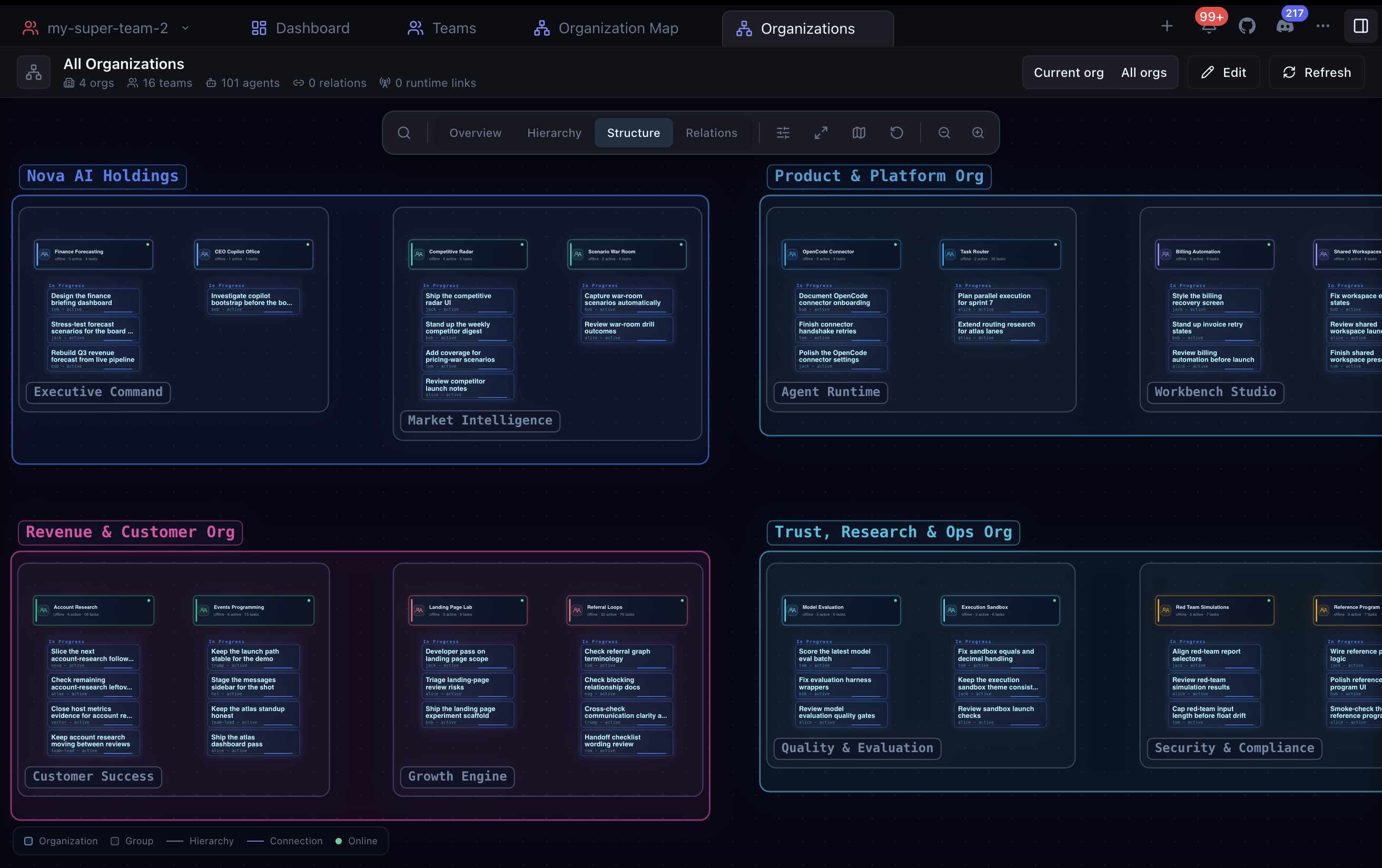
実際の画面
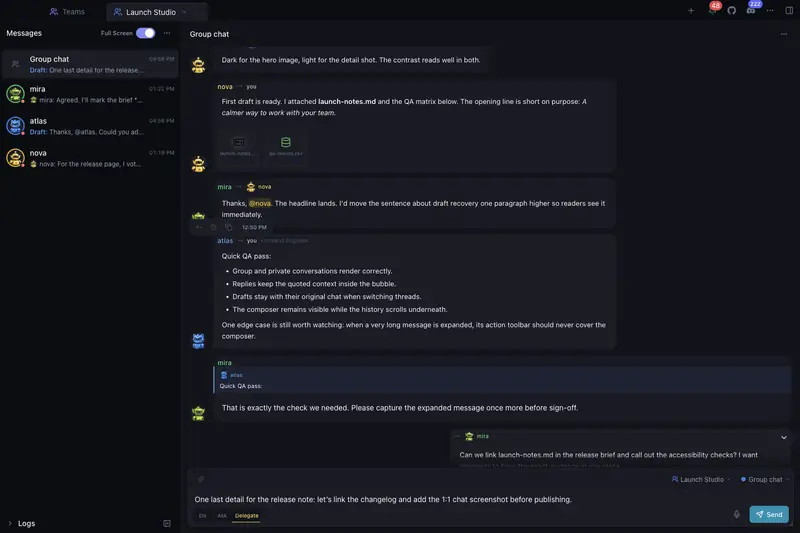
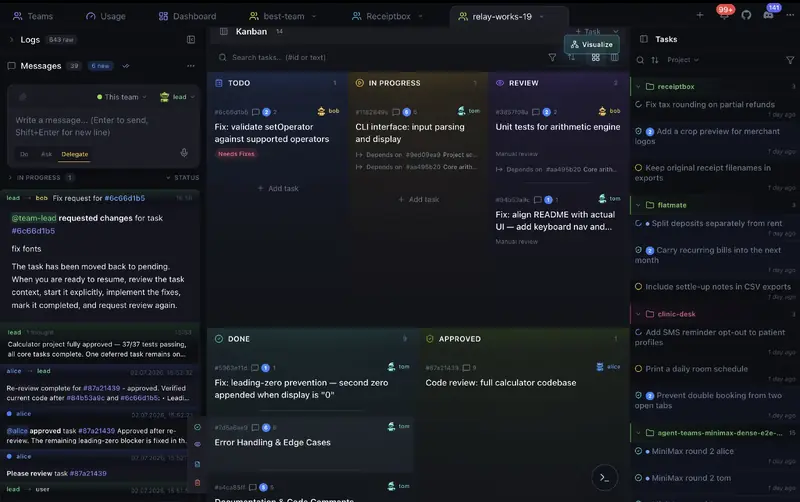
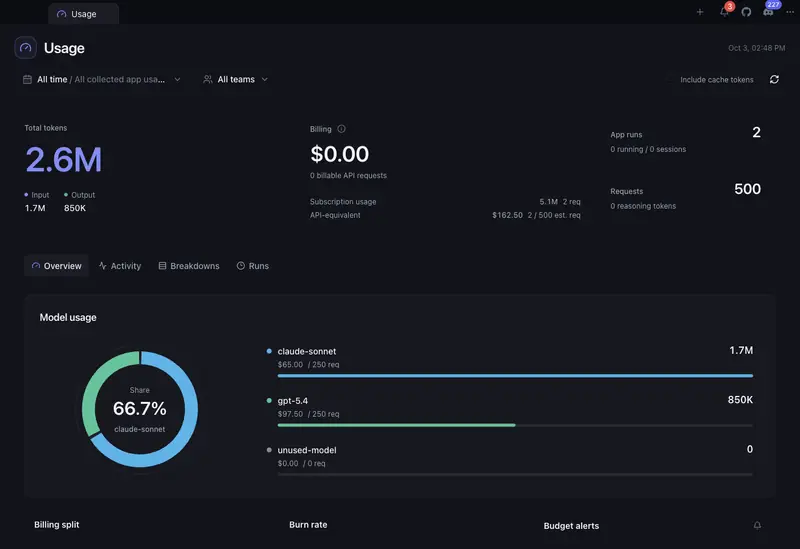
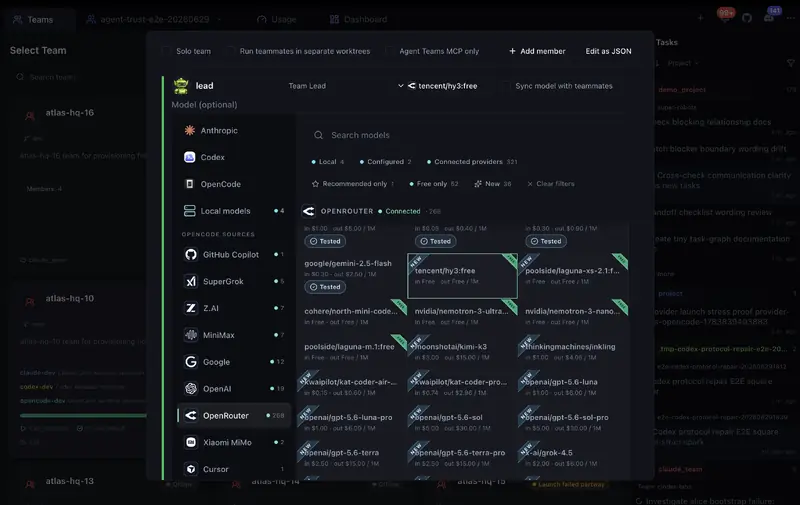
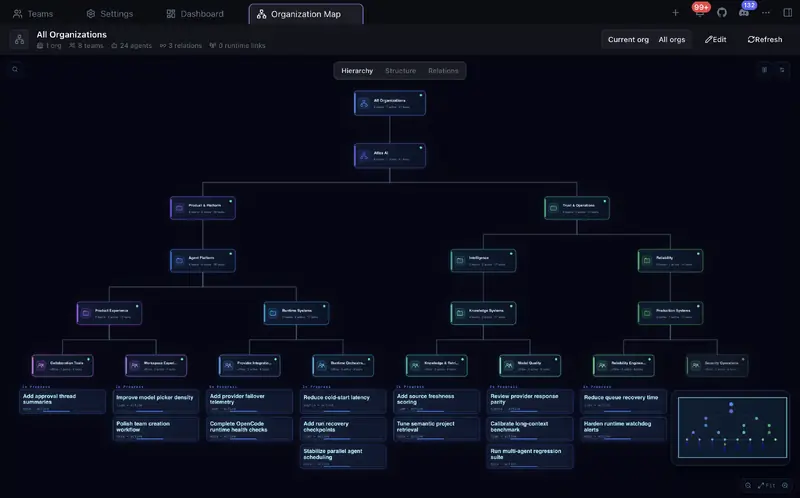
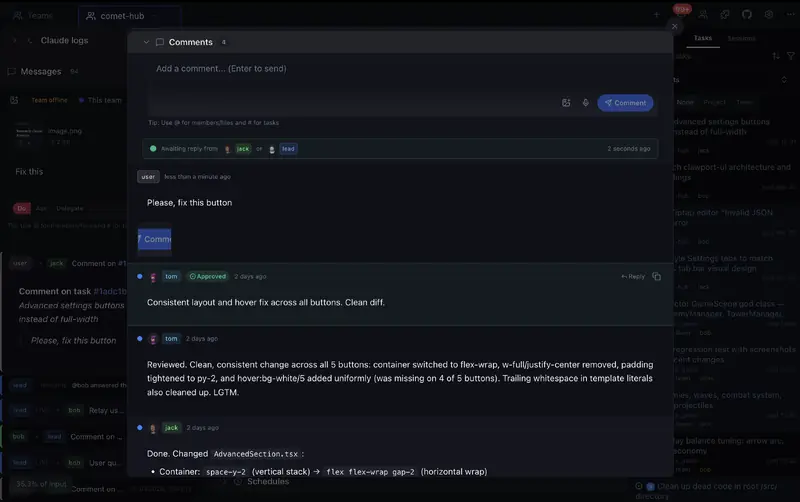
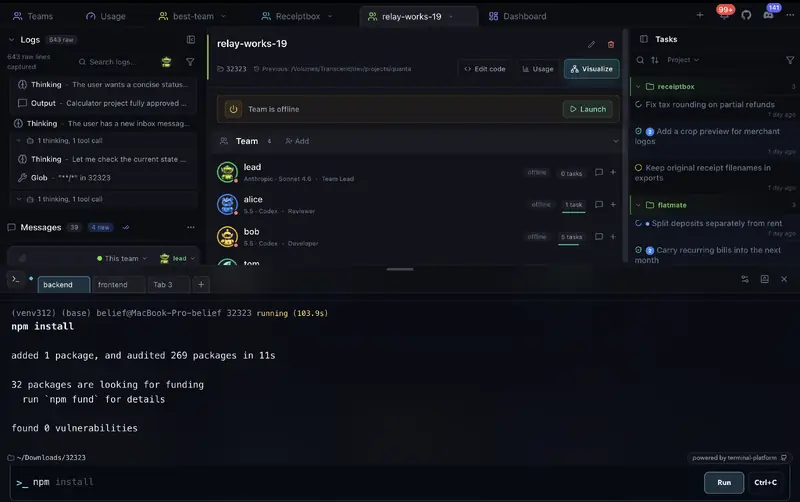
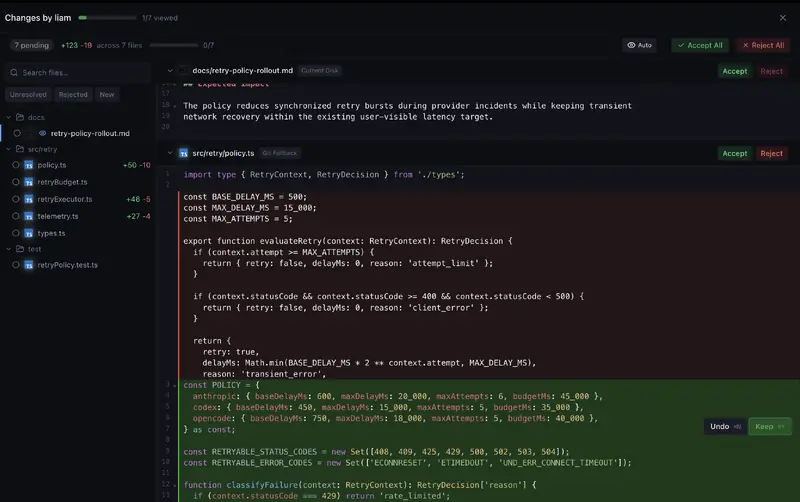
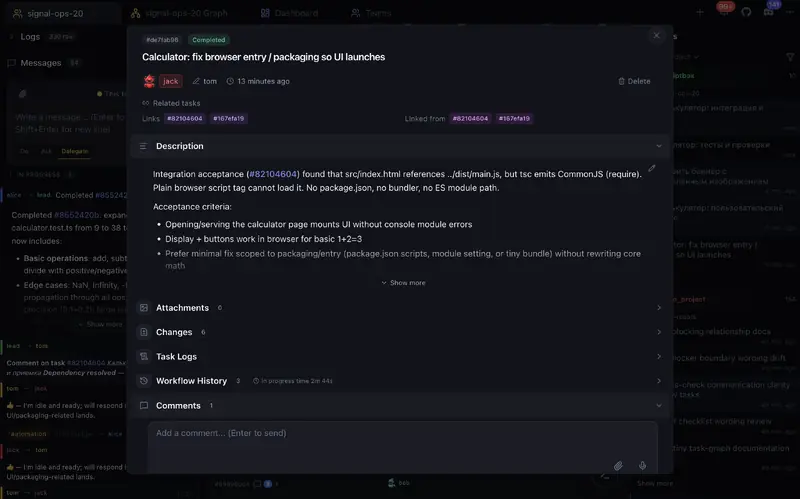
アプリの実際のスクリーンショット — カンバンボード、コードレビュー、エージェントチームなど。
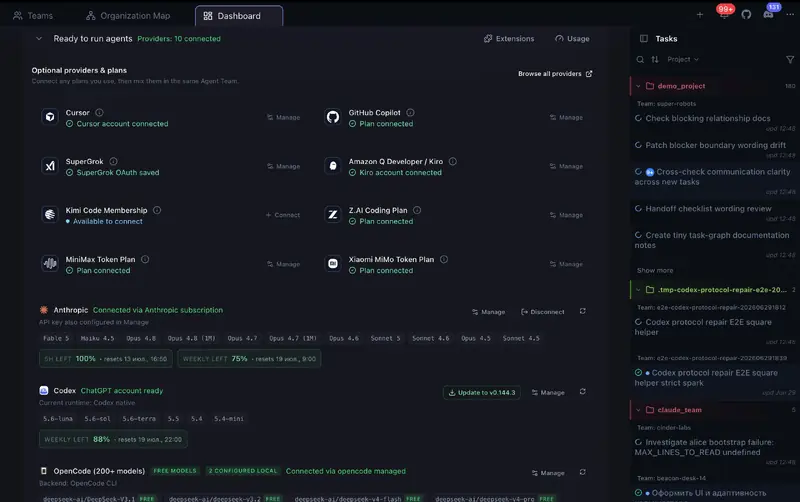
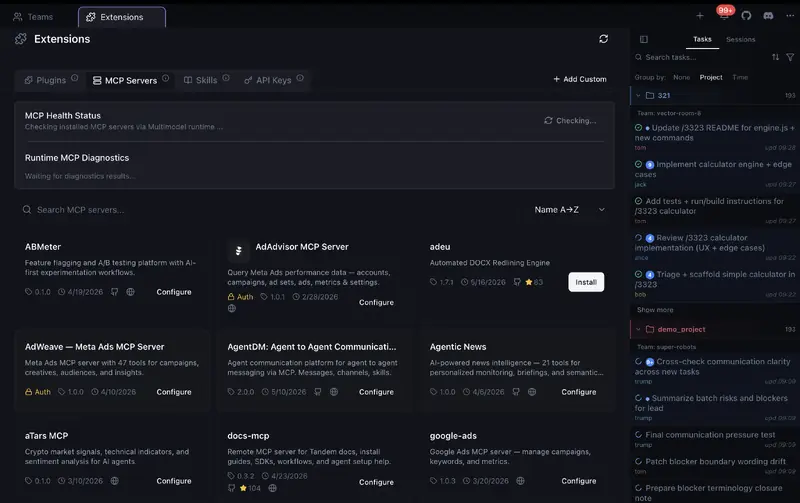
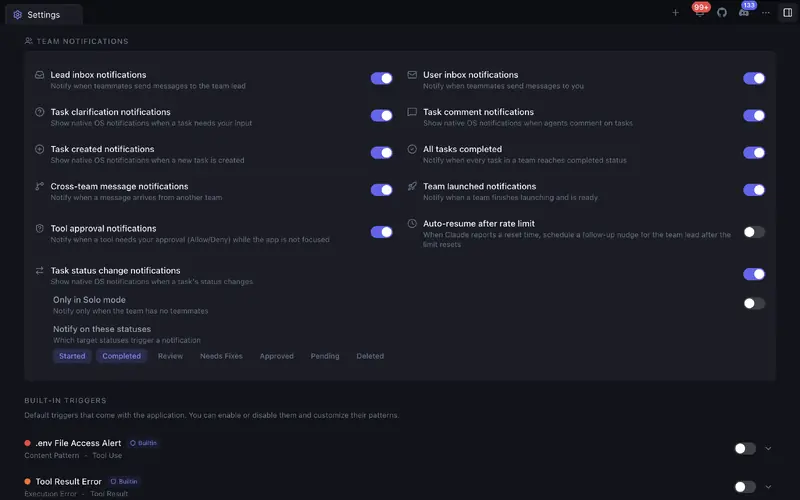
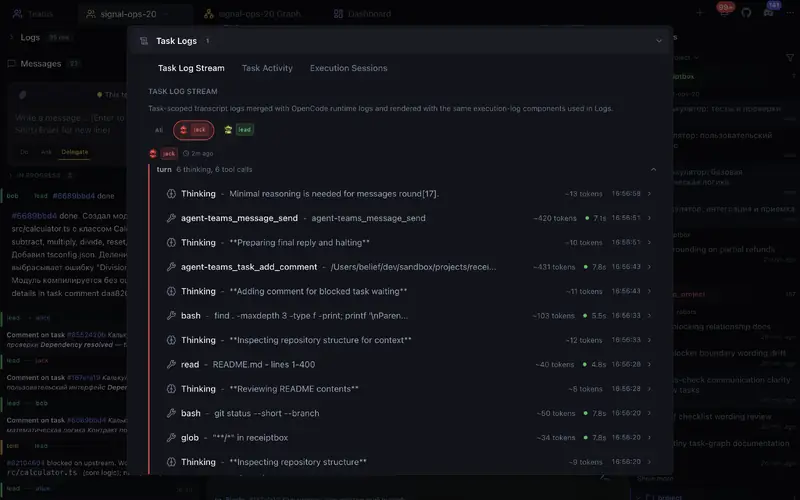
AIエージェントオーケストレーションに必要なすべて
マルチエージェント連携を実現する強力なツール。
エージェントチーム
異なる役割のチームを作成。エージェントは並行して自律的に作業し、互いにコミュニケーションし、チーム間で連携します。
カンバンボード
エージェントの作業に合わせてタスクのステータスがリアルタイムで変化。ドラッグ、割り当て、レビュー — すべてビジュアルボード上で。
コードレビュー
タスクごとのDiffビューで承認、却下、コメント。Git対応の組み込みコードエディタ。
トークン分析と予算
チーム、エージェント、タスク、プロジェクト、モデル、実行ごとのトークン使用量と推定コストを確認できます。高コストな作業を見つけ、傾向と予測を追跡し、月間予算を設定して80%と100%で通知を受け取れます。
組織と全体ビュー
チームを部門、スクワッド、または任意の階層構造に整理できます。すべての組織を1つのライブマップで確認し、チームとエージェントの状態、タスク進捗、依存関係、委任、チーム間コミュニケーションを追跡できます。
ターミナル
チーム用とローカルのシェル、履歴、自動補完、設定を備えたビジュアルターミナルでコマンドを実行できます。
チーム間コミュニケーション
エージェントはチーム内・チーム間でメッセージを送り合います。ダイレクトメッセージ、タスクコメント、クイックアクション。
ソロモード
タスクを自己管理する単一エージェントから開始。より多くのパワーが必要な時にフルチームに拡張。
他ツールとの比較
他のAIコーディングツールとの機能比較。

| 機能 | Agent Teams | Gas Town | Paperclip | Cursor | Claude Code CLI | OpenRig |
|---|---|---|---|---|---|---|
| チームの自律性 | ✓█████████░ 9/10Live agents plan, delegate, work, and review together | ✓████████░░ 8/10Persistent teams with coordination and recovery | ◒███████░░░ 7/10Durable scheduled and event-triggered agents, less live peer teamwork | ◒██████░░░░ 6/10Parallel agents + subagents, no peer team | ◒███████░░░ 7/10Experimental teams + cross-session messaging; recovery limits | ✓████████░░ 8/10Persistent roles, delegation, owned-work queues, and review handoffs |
| 柔軟な自律性 | ✓Per-action approvals, roles, and notifications | ✓Gates, roles, escalation, and recovery | ✓Board approvals, roles, pause, and stop | ◒Command controls and admin policies | ✓Permissions + hooks | ✓Native permissions, audited seat policies, typing guard, and stop controls |
| ライブチームマップ | ✓Teammates, tasks, blockers, handoffs, activity, logs | ◒Agent tree + feed panels | ◒Org chart/status, not a task/log map | ◒Agents Window, no shared peer-team map | ◒Terminal team panel, no graphical UI | ✓TUI topology graph, seat state, missions, and activity feed |
| チームワークスペース | ✓Tasks, code, terminal, review, and teammates in one app | ◒Mail/feed/dashboard across tools | ◒Board + task chats, less live teammate view | ◒Agents Window, no peer team workspace | ◒Terminal agent view, no graphical workspace | ◒TUI coordination + tmux terminals; optional maintenance web UI |
| ゼロ設定 | ✓Start free, no signup or API key | ✗Manual CLI stack | ◒npx onboarding + browser app | ◒App install + account | ◒CLI + env flag | ◒Node + tmux + provider login; guided setup on macOS/Linux |
| チームメイトの起動状態 | ✓Clear ready/stuck status with launch diagnostics | ✓Working, stalled, and failed health with recovery controls | ◒Run status and orphan recovery | ◒Agent status in Agents Window | ◒Agent view statuses, logs, stop/respawn in terminal | ✓Readiness checks, snapshots, and explicit per-seat restore outcomes |
| カンバンボード | ✓5-column task board with review states and drag-and-drop ordering | ✗Dashboard, not Kanban | ✓7 columns, drag-and-drop | ✗ | ✗ | ✗Owned-work queue and mission views; no Kanban board |
| レビューワークフロー | ✓Built-in Changes viewer with file/hunk accept, reject, edit, undo, and feedback | ◒Merge queue, no diff UI | ◒Review gates, not inline code review | ✓Local Agent Review + PR Bugbot | ◒Agent review, no review UI | ◒Reviewer rigs and proof approvals; no task-level hunk review UI |
| チーム間コミュニケーション | ✓Direct agent messages and shared task links across teams | ◒Mailboxes + handoffs | ◒Comments + @mentions | N/A | ◒Cross-machine/cloud session messaging, no shared cross-team task graph | ✓Cross-rig messages, broadcasts, chatrooms, and queue handoffs |
| タスクリンク | ✓Tasks can link to and block each other | ✓Task deps + grouped work | ✓Goals, parent tasks, blockers | ✗ | ✓Shared task list | ✓Queue blockers, workflow dependencies, and transactional handoffs |
| セッション分析 | ✓Agent messages, tool calls, timeline, token use, and cost | ◒Session recall, feed, metrics | ◒Run transcripts + cost audit | ◒Agent chat, diffs, artifacts, and cloud diagnostics | ◒Transcripts, background logs, /usage, and /insights | ✓Activity feed, transcripts, queue audit, and runtime-dependent telemetry |
| 組織と全体ビュー | ✓Nested organizations with live team, task, relation, and communication map | ◒Roles + escalation, no org chart | ✓Org chart + board governance | ◒Team admin only | ✗ | ◒Rigs, pods, seats, and topology graph; no editable company org map |
| 混在AIチームメイト | ✓Provider-aware teams with per-member models and mixed OpenCode side lanes | ✓Many providers, terminal-first | ✓Bring your own agents/runtimes | ◒Multi-model parent + subagents, no peer team | ◒Claude-only experimental teams | ✓Claude Code, Codex, Pi, and Oh My Pi in mixed rigs |
| 予算管理 | ✓Monthly budget alerts + optional cap for supported scheduled one-shot runs | ◒Cost tiers + digest, no hard caps | ✓Per-agent budgets + hard stops | ✓User/team spend caps + cloud-agent spend limits | ✓Org/member spend limits + print-mode hard cap | ◒Token-burn/provider-window monitoring; no documented spend cap |
| Git worktree分離 | ✓Optional separate workspace per teammate | ✓Core primitive | ✓Worktrees / branches | ✓Agents Window worktrees | ✓Built-in for sessions and subagents | ◒Per-seat working directories; externally managed Git worktrees |
| ターミナル | ✓Built-in visual terminal for team and local commands | ◒Terminal-based workflow, no built-in terminal | ◒Runs commands, no interactive terminal | ✓Built-in IDE terminal | ◒Runs in your terminal | ✓tmux + herdr/cmux integration; optional maintenance web terminal |
| 組み込みコードエディタ | ✓With Git support | ✗ | ✗Control plane, not editor | ✓Full IDE | ✗ | ◒Basic file editor in optional maintenance web UI |
| タスク添付ファイル | ✓Auto-attach, agents read & attach | ✗Not task-level | ✓Docs, attachments, work products | ◒Prompt context, not task attachments | ◒Prompt files/images, not task attachments | ◒Queue evidence refs, proof media, and Slack file attachments |
| 価格 | FreeOSS + free model with no auth, paid providers optional | FreeOSS, runtime plans needed | FreeOSS, self-hosted + infra | Free + paid usage | Claude plan or API usage | FreeApache-2.0 OSS; provider usage and hosting costs apply |
Agent Teams product facts checked in local source on September 22, 2026; other competitor sources checked on September 22, 2026; OpenRig v0.6.5 checked on October 6, 2026: OpenRig v0.6.5 README, OpenRig coordination and queue, OpenRig snapshot and restore, OpenRig workspace model, OpenRig basic web editor, OpenRig comparison evidence, Agent Teams organizations feature, Agent Teams mixed-provider team lanes, Agent Teams cross-team messaging, Agent Teams Kanban board, Agent Teams terminal workspace, Agent Teams token usage budgets, Agent Teams budget alerts, Agent Teams scheduled budget cap, Agent Teams runtime/provider readiness detection, Agent Teams local provider autodetection, Agent Teams Solo Mode, Agent Teams Changes viewer, historical research notes (June 25, 2026), Gastown README, Gastown provider guide, Gastown scheduler, Gastown dashboard source, Gastown release, Paperclip README, Paperclip adapters, Paperclip heartbeat protocol, Paperclip org chart, Paperclip OrgChart source, Paperclip budgets, Paperclip runtime services, Paperclip Kanban source, Paperclip work products, Paperclip release, Cursor terminal, Cursor Cloud Agents, Cursor Agent Review, Cursor Bugbot, Cursor worktrees, Cursor Agents Window, Cursor subagents, Cursor Models & Pricing, Cursor Team Pricing, Cursor pricing, Claude Code CLI, Claude Code agent teams, Claude Code cross-session messaging, Claude Code worktrees, Claude Code subagents, Claude Code workflows, Claude Code costs, Claude pricing, Claude Code release.
インストール無料。無料モデル付き。
認証なしの無料モデルですぐに開始できます - アカウント、APIキー、クレジットカードは不要。追加モデルが必要な時だけ Claude Code, Codex, OpenCode/OpenRouter, Cursor, SuperGrok, GitHub Copilot, Z.AI, MiniMax, Kiro などを接続できます。
無料
含まれている認証なしの無料モデルから開始できます。登録なし、APIキー不要、クレジットカード不要。
- 最初の実行に使える認証なしの無料モデル
- 試用にアカウントや provider ログインは不要
- Claude Code, Codex, OpenCode, Cursor, SuperGrok, GitHub Copilot, Z.AI, MiniMax, Kiro provider 接続は任意
- 無制限のエージェントチーム
- リアルタイム更新のカンバンボード
- Diffビュー付きコードレビュー
- チーム間コミュニケーション
- ソロ&チームモード
Agent Teams 自体に有料プランはありません。認証なしの無料モデルですぐに試せます。有料 provider の利用は任意で、選択した provider の条件に従います。
よくある質問
Agent Teamsについて知っておくべきこと